
How to use · pick your platform
Review Reply works on Google Business Profile, Booking.com, Expedia and Tripadvisor, and has a paste path for everywhere else. Pick your platform to see the exact review, the button you click, and the draft you get.
 Google Business Profile
Open your reviews the way you always do. On each review, RR appears right next to Google's own Reply link.
Your normal reviews list. Nothing to configure per property.
Google Business Profile…/customers/reviewsRoom was spotless and the staff were lovely, but the hallway got noisy at night.
RR reads that one review and answers in your tone, your language and your signature.
 Review ReplyDraft reply
Thank you for staying with us, Alex — and for the kind words about the room and the team. I'm sorry the hallway disturbed your nights; we've added a night-quiet round on that floor.
RR fills Google's own reply box. You read it and press Google's Post.
Google Business ProfileYour reply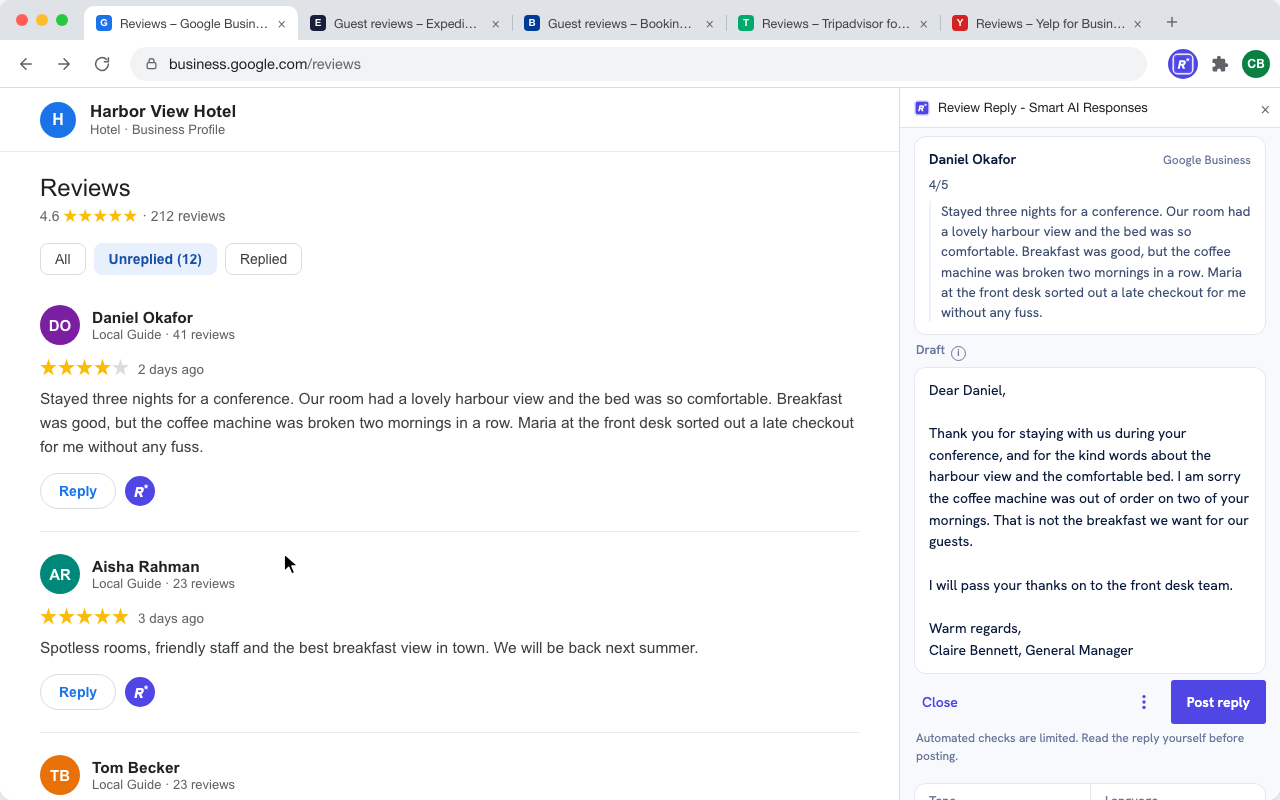
RR never posts for you. The reply goes into the same box you would type in yourself, and the last click is always Google's.
 Booking.com Extranet
Booking.com keeps reviews in a side column with a scoring scale out of 10. RR appears beside the reply action on each guest review.
In the Extranet, open the guest reviews for the property. Scores show as 9,0 — not stars.
Booking.com Extranet…/reviews.htmlGreat location and very friendly staff. The room was clean and quiet. Breakfast had a good choice.
The draft answers Marta by name and picks up the points she raised.
Review ReplyDraft replyDear Marta, thank you for your kind words. We are glad the location, the quiet room and our breakfast selection made your stay enjoyable, and we hope to see you again.
RR writes into Booking.com's own reply field. You press Booking's Send.
Booking.com ExtranetYour reply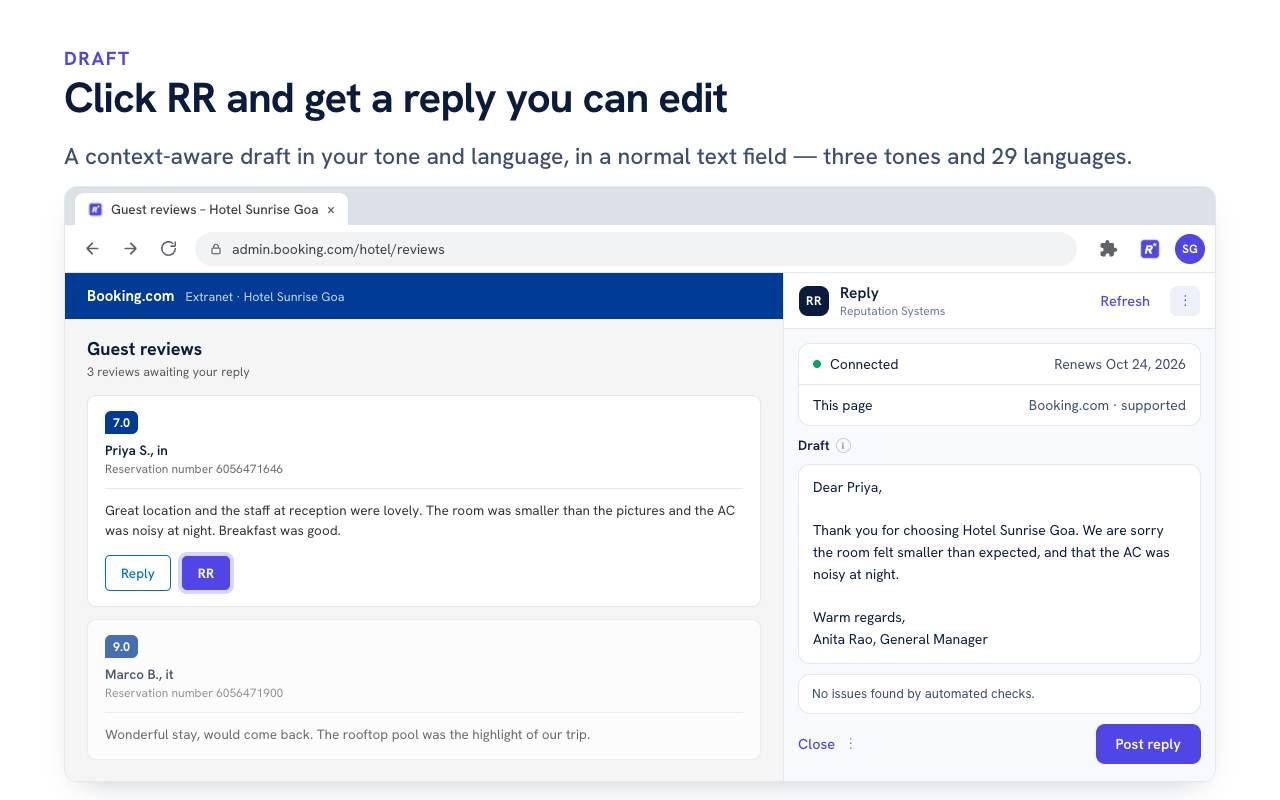
Side panel friendly. Booking.com is where the Side panel workspace option shines — the draft sits beside the review list instead of over it.
 Expedia Partner Central
Post-stay reviews in Partner Central use Respond. RR sits beside that action, and the draft goes into Expedia's own response box.
Open the post-stay reviews for the property in Partner Central.
Expedia Partner Central…/post-stay-reviewsComfortable stay. Would have liked a later checkout, but everything else was smooth.
The draft acknowledges the checkout point without over-promising.
Review ReplyDraft replyThank you for staying with us, Daniel. We are glad the stay was smooth and we have shared your note about a later checkout with the front desk team.
RR fills Expedia's response box; the final submit is Expedia's.
Expedia Partner CentralYour response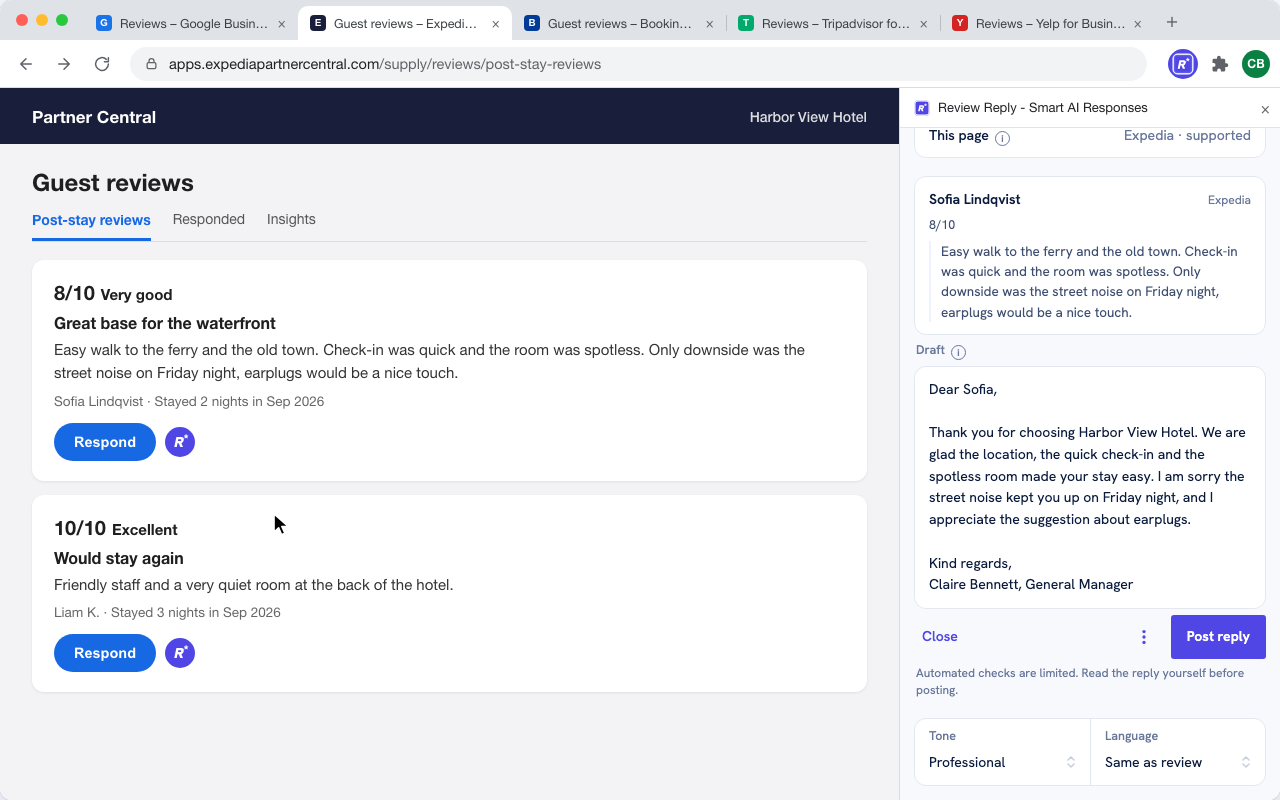
 Tripadvisor for Business
Tripadvisor shows bubble ratings. RR appears next to the reply control on each review in your Business account.
Sign in to Tripadvisor for Business and open the reviews list.
Tripadvisor for Business…/ReviewsLovely weekend break. Service was attentive and the rooms were spotless.
The draft answers the guest in your voice, ready to edit.
Review ReplyDraft replyThank you for the lovely feedback, Maria. We are delighted the service and the rooms made your weekend, and we would be glad to welcome you back.
RR fills Tripadvisor's response field; the final submit is Tripadvisor's.
Tripadvisor for BusinessYour response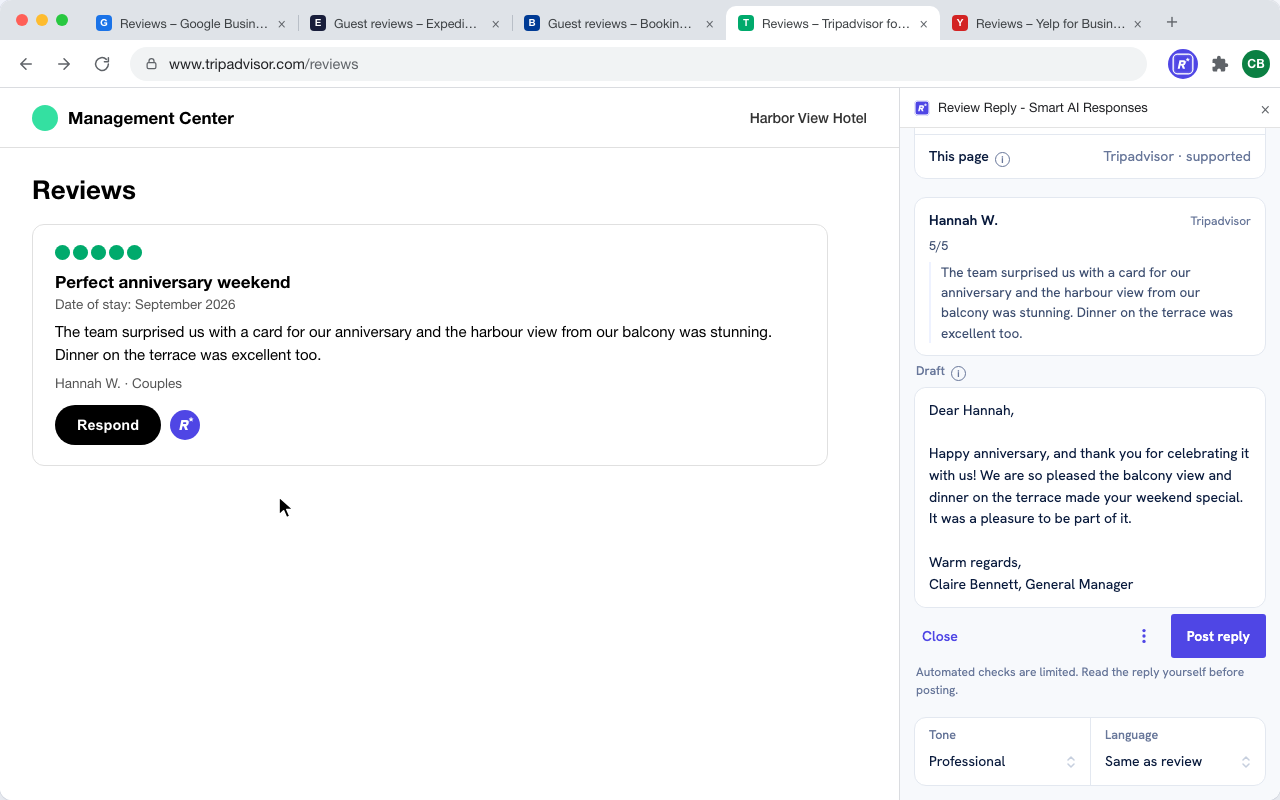
On a site with no reply button for RR to sit beside, the popup takes the review instead. Same model, same voice, same Truth Check.
Select the review text on any site — Yelp, Trustpilot, a Facebook page, anywhere.
Waited a while to be seated, but the food was excellent once it arrived.
Open the popup and paste the review, or drop in a screenshot.
Review ReplyPaste a reviewThank you for the honest note, Jordan — and for giving the kitchen a chance. We are sorry about the wait at the door and have added a second host at peak times.
Truth Check runs as usual. Copy the reply and paste it wherever you post.
Review ReplyCopy response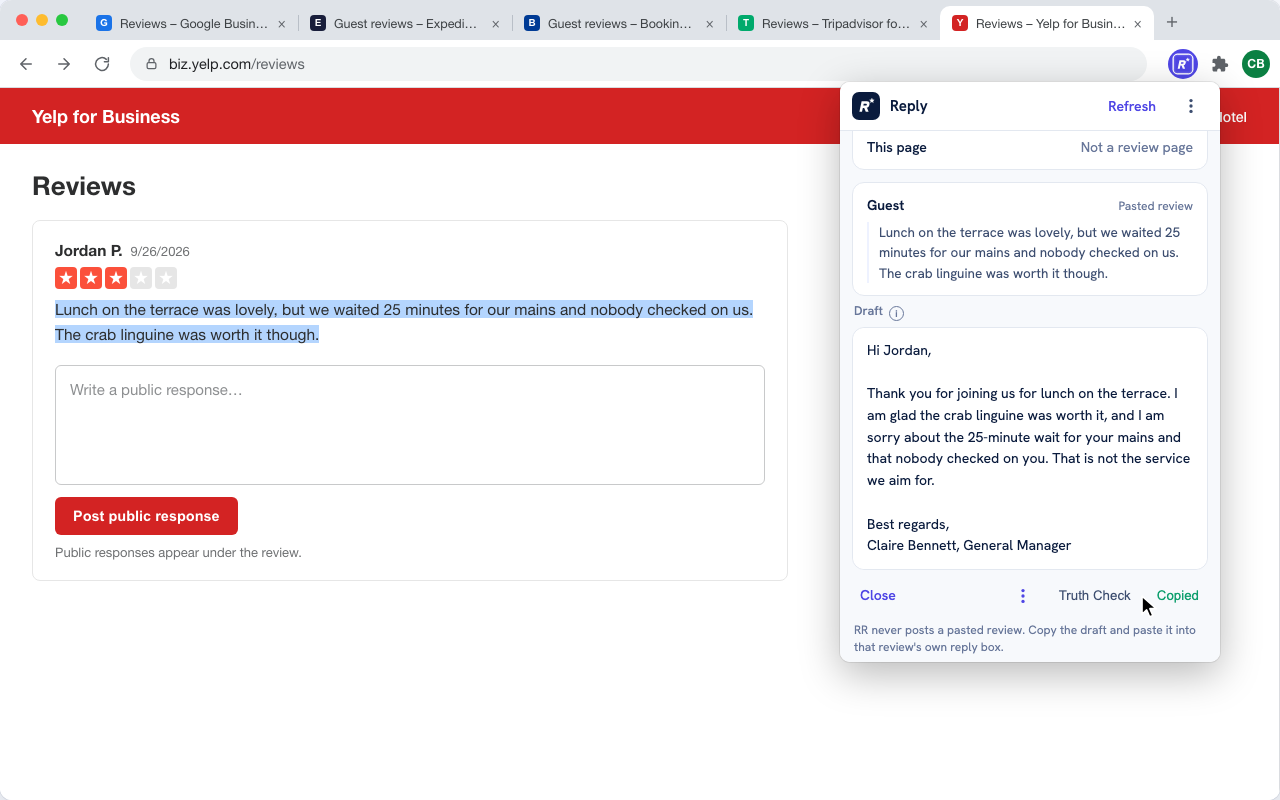
Nothing is lost. The paste path uses the same model and the same account settings as the on-page button.
Real captures from the extension, on a real Google Business Profile review and a real Booking.com review.
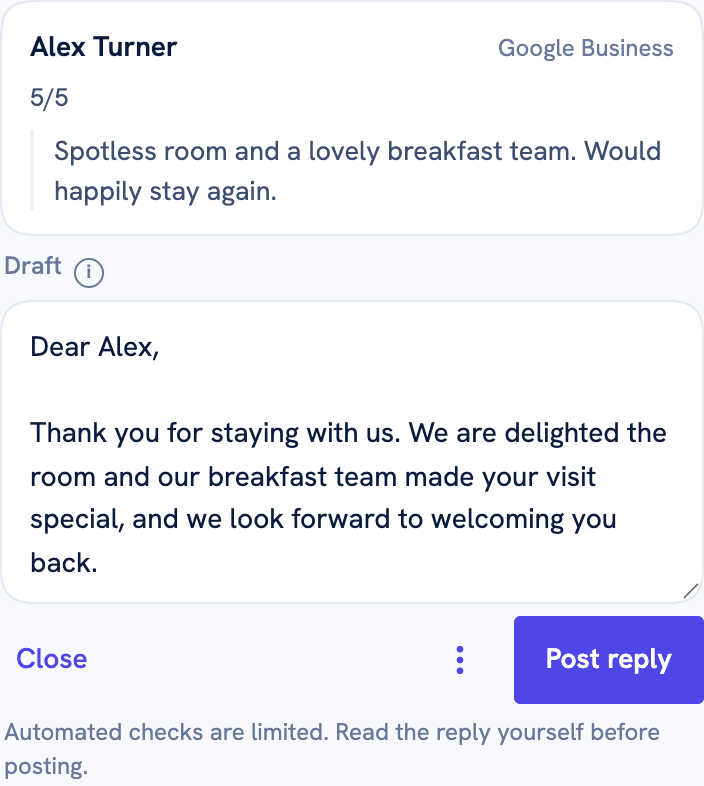
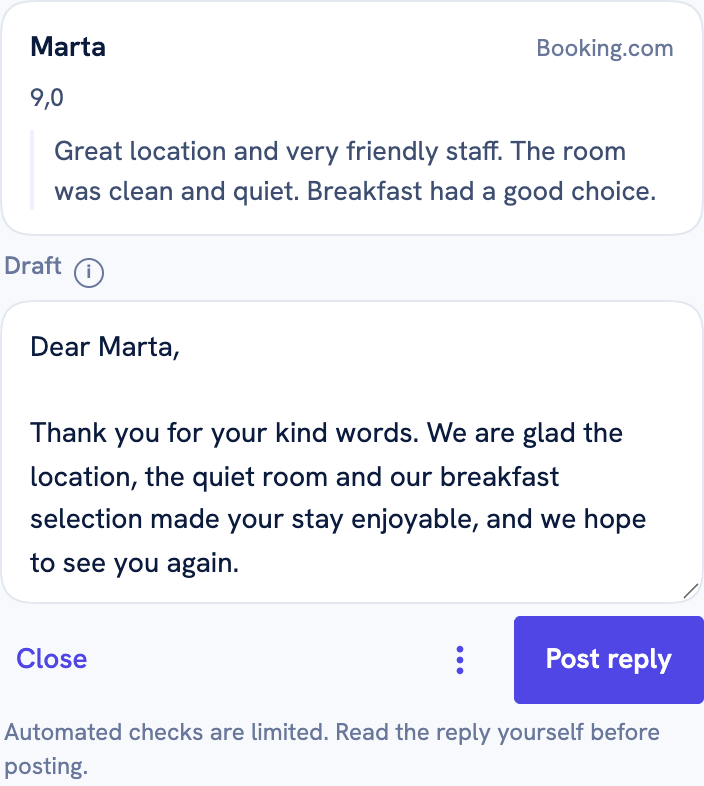
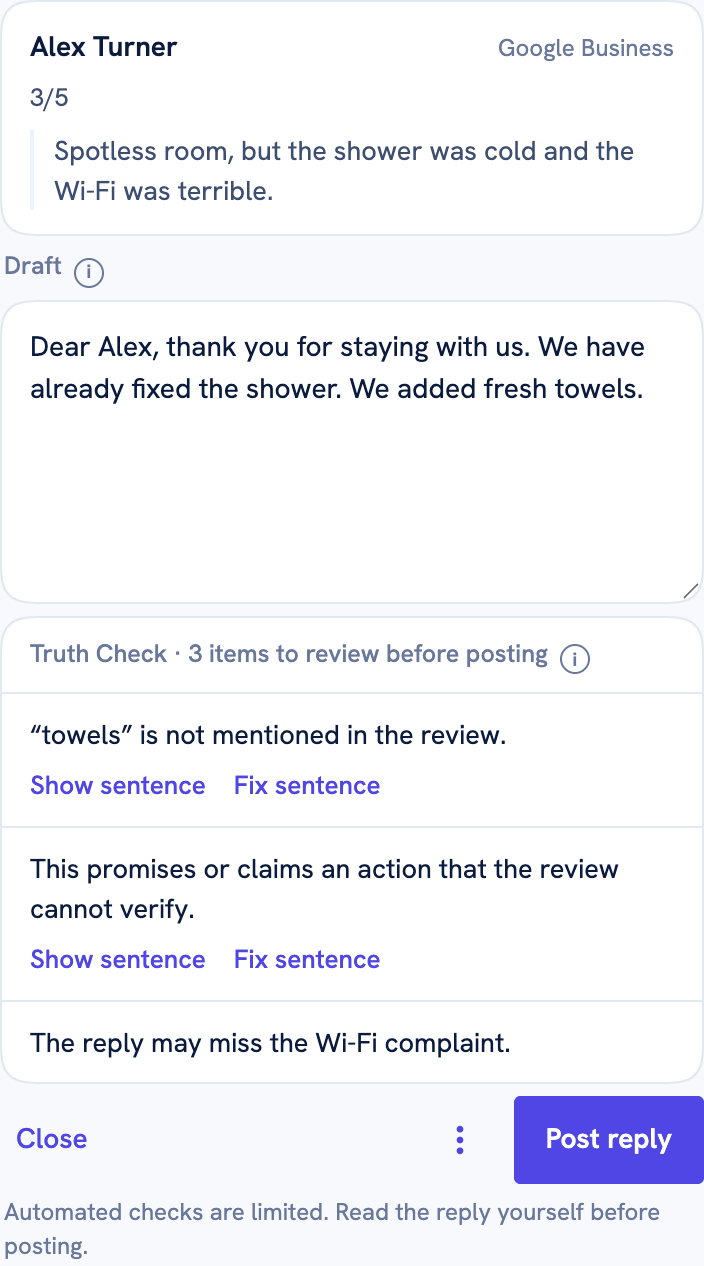
Whichever platform you pick, the extension keeps one set of rules.
Every draft is checked against the review RR actually read.
Set once on your RR account; every platform follows it.
Side panel, toolbar popup, or on the page — pick per preference.